Can Custom Software Replace Multiple Apps?

Yes, custom software can replace multiple apps by bringing related work, such as customer intake, scheduling, project tracking, approvals, and reporting, into one system. It can also connect with specialized software your business still needs. Whether that makes sense depends on how much work your current setup creates and whether a shared system would handle that work more effectively.
Think about what happens after a customer approves an estimate. Someone updates the sales record, adds the job to a calendar, creates a project, and tells accounting what to bill. If each step happens in a different application, employees become responsible for keeping those applications in agreement. A useful consolidation project follows that entire process and determines where software can carry the information forward.
Which Business Apps Custom Software Can Replace
The strongest candidates are applications that handle closely related parts of the same job. A business might use separate tools for intake forms, estimate approvals, job scheduling, task assignments, and status reports. When those tools rely on the same customers, employees, and project details, a custom application can bring the necessary functions together around a shared record.
That does not mean rebuilding every feature in every application. Your team may use only a small portion of a project management platform, while paying for a separate tool to handle an approval process it cannot support. A focused replacement could include the project information employees actually need, add the missing approval steps, and leave out features that have no role in your business.
Start by listing what each application does for your team. Include occasional work, such as annual reporting or retrieving an old customer agreement. An app is ready to retire only when its necessary functions and records have a dependable home. If another department still needs it, its subscription belongs in the ongoing budget.
What One Connected System Could Look Like
Consider a hypothetical service company that uses an online form for inquiries, a spreadsheet for estimates, a scheduling app, a project board, and a separate customer update tool. Office employees move information through each stage, while technicians call in for details that are missing from their calendars. The owner combines several exports to see which jobs are waiting for approval or ready for billing.
A custom operations platform could give each job one record containing the request, approved scope, appointment, assigned employee, work notes, and current status. An approved estimate could make the job available for scheduling. A completed visit could trigger a customer update and send the appropriate billing information to the accounting system, subject to the available integration.
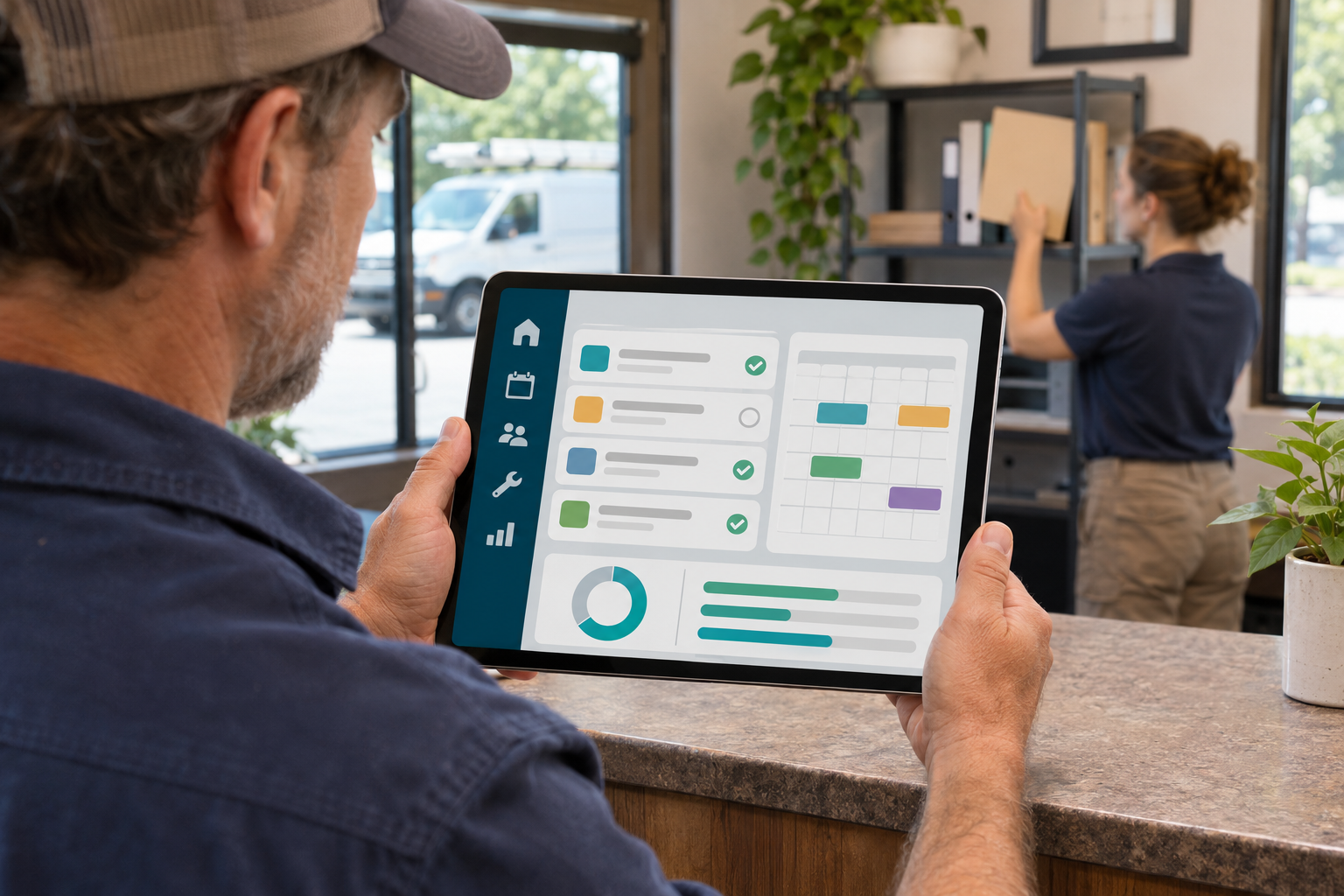
Different employees could see different parts of that record. A technician might need the service address and work instructions, while the office needs scheduling and billing details. Shared information would let each person complete their part of the job without maintaining a separate version. This is the kind of operational problem our custom software development and integration services are designed to address.
When to Connect Apps Instead of Replacing Them
Keep specialized software when it already performs an important job well and rebuilding that capability would add unnecessary expense. Accounting, payroll, payment processing, and email are sensible places to examine carefully. A custom platform can organize the work surrounding those services while continuing to use them behind the scenes.
These connections often use an application programming interface, or API, which provides a defined way for software systems to interact. Standards such as the OpenAPI Specification help developers describe and understand an API's capabilities. Your development team should check whether each existing application permits the exact data access and actions your workflow requires.
Ask practical questions before including an integration in the plan. Can the connection create a record or only read one? Does access require a more expensive subscription? Which system controls an address change, and who gets notified if an update fails? One dashboard may give employees a simpler workday while still relying on several paid services. Those services and their fees need to remain visible in the proposal.
How to Evaluate Potential Savings
Custom software can reduce subscription expenses and administrative work, but savings depend on what you can actually remove. Begin with the applications you could cancel or downgrade, then measure the time employees spend transferring information, correcting mismatched records, and preparing routine reports. Compare those costs with development, data migration, training, hosting, maintenance, and any services the new platform will continue using.
For a simple illustration, suppose retiring overlapping apps would save $400 per month and eliminating repetitive work would free 20 employee hours per month. At an assumed labor cost of $40 per hour, that represents $800 in staff capacity plus $400 in subscription savings. The combined potential value is $1,200 per month before the new system's ongoing costs and initial investment. These are example figures, and the recovered time becomes a cash saving only if it reduces an expense.
Your own numbers may support a larger project, a smaller integration, or a better setup within software you already have. Compare the options over the same period, such as three years, and include the temporary cost of running old and new systems together. Our guide to custom software development costs explains the work that should be included in a realistic budget.
How to Replace Apps Without Disrupting Daily Work
Begin with one complete process that causes recurring difficulty, such as moving an approved estimate into a scheduled job. Define what the first version must handle, involve the employees who do that work, and test the process with realistic situations. Include rescheduled appointments, canceled jobs, missing information, and customers who have more than one active project.

Before moving records, decide which information is correct when applications disagree. Check customer details, attachments, dates, balances, and links between related records. Choose one designated place for employees to enter live updates during the transition, so a trial period does not create two competing versions of the business.
Retire an application after its replacement has been tested, employees can complete their work, and required historical information remains accessible. Confirm export options and cancellation terms before ending the old subscription. A phased rollout gives the team an opportunity to fix problems in a manageable part of the operation before expanding.
Who Will Maintain the Software
Consolidation makes the remaining system more important to daily operations. Before launch, agree on who handles support, software updates, backups, access changes, and problems with connected services. The Federal Trade Commission's cybersecurity guidance for small businesses recommends regular updates, backups, and multifactor authentication. Those responsibilities need to be part of the operating plan.
Plan for interruptions as well. Decide how employees will access essential job information if the platform is unavailable, and test the process for restoring data. Confirm what your development agreement provides for source code, documentation, administrative access, and usable data exports. These details help the business keep operating as employees, providers, and requirements change.
Where Your Business Can Start
Bring a list of your current applications and walk through a recent customer job from the first inquiry to the final payment. Show where employees copy information, wait for approval, or leave the system to finish a task. That conversation gives a development team something concrete to evaluate and helps distinguish a missing feature from a process that needs to be redesigned.
At Captevrix, we begin with a detailed conversation about your workflow, goals, challenges, and existing systems before providing a clear, easy-to-understand estimate. The recommendation may combine custom development, integrations, and software you already use. We want the proposed work to address the specific problem your team faces each day.
If you are wondering whether custom software could replace multiple apps in your business, start a conversation with Captevrix. We can help you evaluate which functions belong together and what a practical first phase should include.